folk Review

8.1/10

AI CRM for capturing contacts, enriching them, and running follow-up across sales channels.

Review updated August 2026 By The AI Way Editorial 3 min read
folk App Integration Chrome Extension Lead Enrichment Sales Automation Freemium from USD 24.00/mo

Our Verdict

folk is easier to like when leads first appear outside the CRM and follow-up is where deals get lost. It fixes capture and next-step discipline faster than a heavyweight rollout. The limit is straightforward: the stronger AI, API, and admin controls sit on paid tiers.

Official site
A free plan is listed; verify current limits before upgrading. Starts at USD 24.00.
open_in_new Try folk
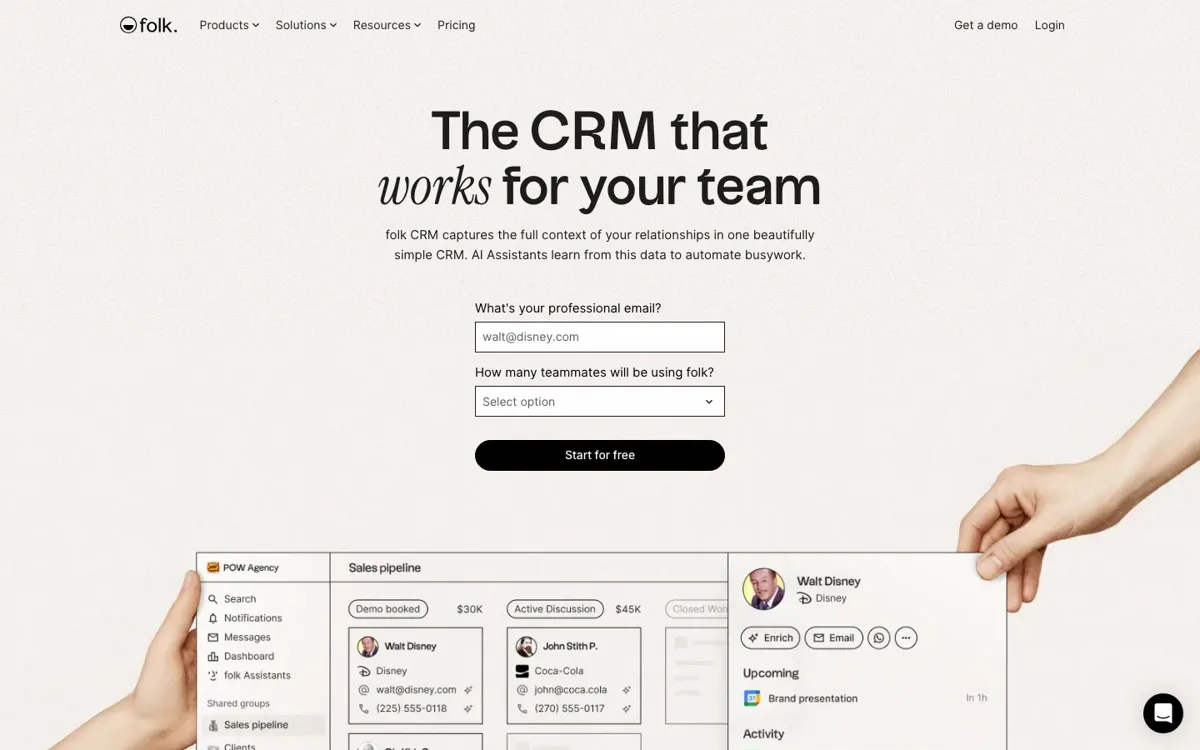
Official Website Snapshot Visit Site ↗

check_circle Pros

  • It captures leads where reps actually find them instead of waiting for manual CRM cleanup.
  • Enrichment, reminders, messaging, and AI follow-up live in one sales workspace.
  • The pricing page shows clearly where API access and bigger quotas begin.

cancel Cons

  • The deeper AI, API, and admin features sit above the free plan.
  • Seat pricing adds up quickly once a small team moves past trial mode.
  • Teams with deeply customized CRM processes may outgrow the lightweight setup.

Should you use it?

sales and partnership teams running outreach from LinkedIn, inboxes, and warm intros

Skip it if: you need a deeply customized enterprise CRM or only want a simple contact database

Is it worth the price?

Freemium Starts at USD 24.00

The free plan is enough to feel the product, not to run a serious team workflow. The paid tiers make more sense once folk is replacing spreadsheet follow-up and at least part of your outreach stack.

The Free Tier

Free plan exists; higher tiers add more credits, seats, and controls.

Paid Upgrade
$24/member/month billed yearly

Standard adds campaigns, enrichment, AI assistants, sync, and integrations.

One thing to know before you start

folk gets sharper when contacts are captured the moment they appear. If your team logs people later, the benefit shrinks fast.

What people actually use it for

Turn LinkedIn prospecting into a live CRM

It works well when leads are found in LinkedIn or on company sites, then disappear into tabs and notes. folkX pulls the contact in, enrichment fills the blanks, and the team gets one place to decide the next message.

Run partnerships and founder outreach without CRM sprawl

It suits small teams juggling intros, warm leads, partner conversations, and follow-ups across email and WhatsApp. The interaction history stays attached to the contact instead of living in someone's memory.

Coordinate multi-person pipeline follow-up

It helps when several teammates need shared visibility on deal stages, contact history, and who should act next. Shared pipelines, roles, reminders, and message workflows make handoff cleaner than spreadsheet tracking.

What does folk actually do?

folk is built around one ugly sales reality: the lead appears before the CRM does. A rep finds someone on LinkedIn, gets an intro by email, or keeps a warm conversation going in WhatsApp, and the context disappears before anyone logs it properly. folk tries to make capture and follow-up fast enough that people will actually keep using it.

The product earns its keep when daily sales work starts outside the CRM. The extension pulls contacts in from the web, enrichment adds business details, and the workspace ties email, calendar, WhatsApp, pipelines, and AI follow-up into one place. The stronger quotas, API access, and admin controls arrive once you step into paid tiers.

What you can do with it

Capture contacts from LinkedIn and the web with the folkX Chrome extension.
Enrich people and company records with emails, phone numbers, and company details.
Sync email, calendar, and WhatsApp activity into one contact timeline.
Run campaigns, sequences, and AI-assisted follow-up from the CRM.
Manage shared pipelines, dashboards, roles, and permissions for team sales work.

Technical details

platforms
Web app, Chrome extension, desktop app, and mobile app
api_access
API starts on Premium and above
integrations
Connects with 5,000+ tools plus calendar and email sync
assistant_scope
AI assists with follow-up timing, recap notes, research, and workflow steps
capture_channels
LinkedIn, Gmail, Outlook, WhatsApp, and web capture through folkX

Top Alternatives to folk

If folk is close but still misses the job, try one of these instead.

Key Questions

Does folk have a free plan?
Yes. The pricing page includes a free plan, and the same page also offers a two-week trial with premium features before you choose a paid tier.
What makes folk different from a heavier CRM?
It is faster at the messy first step. folk is built to capture contacts from the web, enrich them, and keep follow-up moving before a team commits to a heavier CRM setup.
When does Premium start to matter?
Premium starts to matter once your team needs API access, custom objects, dashboards, advanced permissions, or larger quotas for enrichment and AI assistants.