Pave Review

8.4/10

Describe an internal app in plain language, shape it through chat, and deploy it without code.

Review updated May 2026 By The AI Way Editorial 5 min read
Quickbase B2B No Credit Card Required SaaS Workflow Builder Freemium from USD 99.00/mo

Our Verdict

Pave is strongest when a business team needs an internal app to exist this week, not after a spec doc, backlog grooming, and engineering handoff. Its real value is that prompt-to-app generation comes bundled with data structure, deployment, roles, and rollback, so the first version looks closer to a usable ops tool than to a disposable demo. The tradeoff is that you are buying into a governed Quickbase-shaped build surface, not a blank canvas for developers. If you want deep code control or an open-ended app stack, this will feel tighter than the promise.

Official site
A free plan is listed; verify current limits before upgrading. Starts at USD 99.00.
open_in_new Try Pave
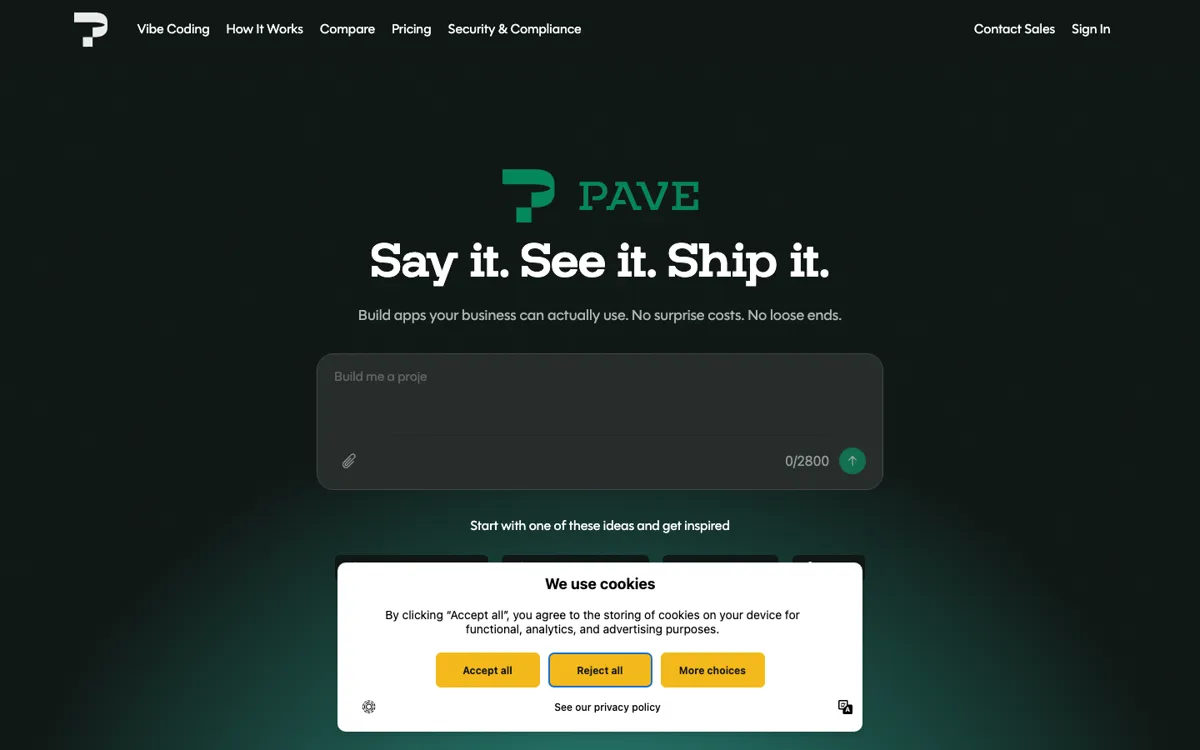
Official Website Snapshot Visit Site ↗

check_circle Pros

  • It starts from the messy input ops teams already have: text, sheets, PDFs, and diagrams.
  • Hosting, deployment, data structure, and permissions are part of the same product.
  • Draft mode plus rollback makes post-launch edits less risky.

cancel Cons

  • It is tuned for internal business apps, not deep custom engineering or consumer products.
  • Paid pricing starts at $99 per workspace per month.
  • Heavy AI iteration can turn into a credits budget question.

Should you use it?

ops and business teams turning intake, approval, or tracking work into internal apps

Skip it if: you need a consumer product, deep custom code control, or only simple tool-to-tool automation

Is it worth the price?

Freemium Starts at USD 99.00

The free tier is good for proving whether Pave can turn your prompt and source files into a usable app shape. You hit paid territory when more people need access, when app count goes past three, or when AI building becomes part of weekly team work instead of a one-off experiment. At that point, the $99 workspace plan only makes sense if one internal app will replace recurring spreadsheet cleanup or manual status chasing.

The Free Tier

Free includes 3 users, 3 apps, and $20 in one-time AI credits.

Paid Upgrade
$99 per workspace per month

Launch raises the cap to 25 users, 10 apps, and recurring monthly AI credits for shipping real team apps.

One thing to know before you start

Start with one ugly but real spreadsheet instead of a polished prompt. Pave has more to work with when it can see the columns, status values, and broken process shape you already live with.

What people actually use it for

Turn an intake or request process into a live app without waiting on IT

Pave fits teams that are still collecting requests in email, forms, and spreadsheets, then losing track of who owns the next step. You can describe the intake process, upload the current sheet, and get a working app with forms, status tracking, roles, and dashboards instead of another static tracker.

Replace spreadsheet-based onboarding and approval chains

Pave works well when onboarding tasks, approvals, and handoffs live in a sheet that keeps breaking the moment more people touch it. The builder can turn that process into an app with role-based access, status changes, notifications, and a publishable flow the team can keep updating.

Give ops teams a schedulable internal tool without a full dev project

Teams juggling PTO calendars, resource schedules, recurring reviews, or project checkpoints can use Pave when the problem is not a public product but an internal system people will use every day. It is better at turning those recurring operational rules into a hosted app than at becoming a custom software stack.

What does Pave actually do?

Pave makes the clearest promise when the work is operational and repetitive rather than consumer-facing or highly bespoke. A team already has a process in its head: people submit requests, someone reviews them, statuses change, reminders get missed, and a spreadsheet slowly turns into a graveyard. Pave tries to turn that mess into a structured app in one motion. You describe the process, add a spreadsheet or PDF if you have one, and it generates the first pass of the data model, screens, and logic. That is why the product keeps circling around intake systems, project tracking, onboarding, approvals, and scheduling instead of generic "build anything" hype.

What separates Pave from a lot of AI app-builder talk is that it keeps dragging the conversation past the prototype. The product bundle already includes hosting, deployment, integrated data management, draft and publish states, version history, rollback, and permissions. In plain terms, that means the awkward second half of the job is not left for later. You are not expected to admire a demo, then go wire up a database, hosting layer, and access model by hand. For business teams, that matters more than another flashy generation step, because the real blocker is usually not getting a screen to appear. It is getting something stable enough that coworkers can actually use it.

What you can do with it

Turn a prompt, spreadsheet, PDF, or diagram into a working app draft.
Refine tables, fields, logic, and layouts through chat or direct edits.
Publish hosted apps without setting up separate deployment pipelines.
Control roles and access at the app or project level.
Keep changes in draft mode and roll back earlier versions.

Technical details

input_modes
It can start from prompts, spreadsheets, PDFs, images, and process diagrams.
publish_flow
Apps ship through hosted deployment with draft and publish states.
governance_controls
Roles, permissions, version history, and rollback are built in.

Top Alternatives to Pave

If Pave is close but still misses the job, try one of these instead.

Key Questions

Can Pave start from more than a text prompt?
Yes. You can start with a text description, an existing spreadsheet, a PDF, a process diagram, or a mix of those inputs. The point is to give the builder enough real context to shape the data model and screens around the process you already have.
Does Pave only generate a prototype?
No. Pave is meant to ship a usable internal app, not just a demo screen. Hosting, deployment, data structure, draft and publish states, permissions, and rollback are part of the product instead of cleanup work left for later.
What does the free plan actually include?
The free plan is permanent, not a short trial. It includes 3 users, 3 apps, and $20 in one-time AI credits, which is enough to test whether the builder can shape your process into a usable app before the workspace needs a paid plan.
Who is Pave built for compared with Replit-style tools?
Pave is aimed at business users and ops teams that want to build without code and without owning infrastructure. Tools like Replit make more sense when developers want more direct control over code, runtime behavior, and the broader app stack.