Wave Review

8.3/10

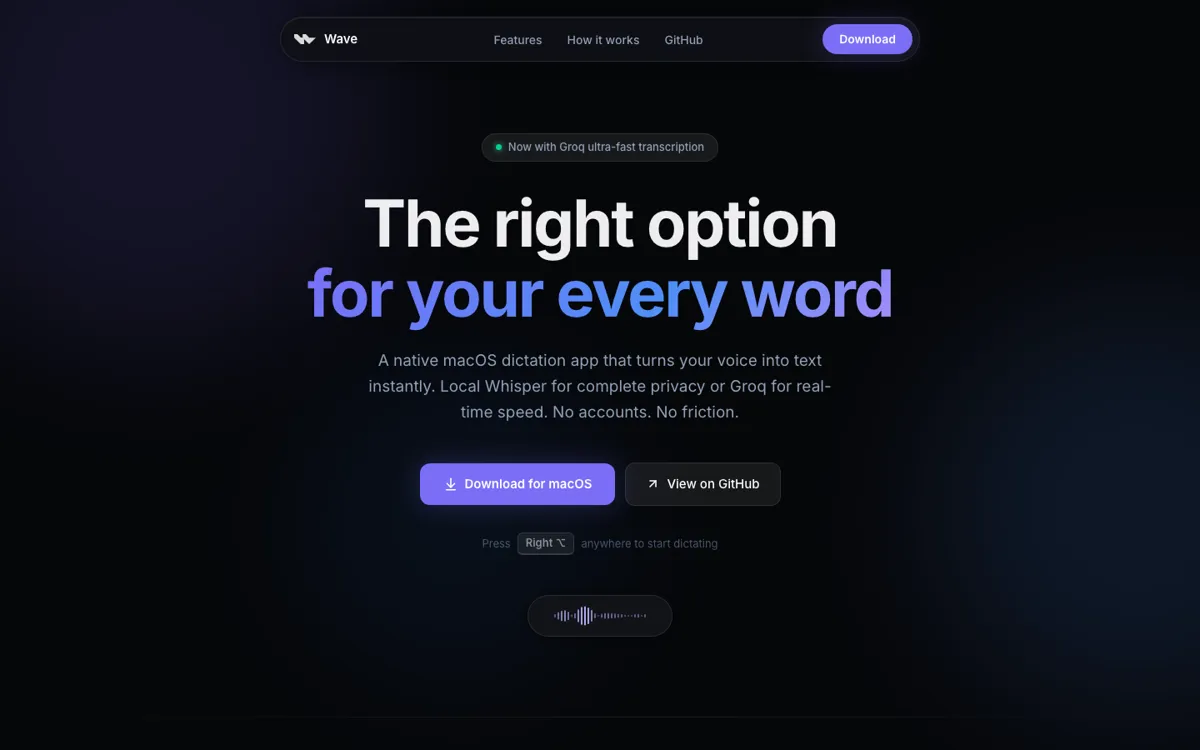
Hold a hotkey on macOS, speak, and drop transcribed or rewritten text into the active app.

Review updated July 2026 By The AI Way Editorial 4 min read
Wave Mac App Open Source Privacy Focused Transcription Free

Our Verdict

Wave is a strong fit if you want dictation to behave like a Mac shortcut instead of a separate app. Its best trick is placing voice output back into the text field you were already using, with local Whisper for privacy and Groq when speed matters. The main boundary is platform and scope: it is macOS-only and built for text entry, not meeting capture or team knowledge management.

Official site
Free to start.
open_in_new Try Wave
Official Website Snapshot Visit Site ↗

check_circle Pros

  • The hotkey flow is fast: hold, speak, release, and text lands at the cursor.
  • Local Whisper gives privacy-focused users a real offline path.
  • Selection Mode fixes or rewrites text without copying it into another app.

cancel Cons

  • Mac-only support leaves Windows, iOS, Android, and browser-first users out.
  • Groq-powered speed and AI rewrite features require the user's own API key and internet connection.
  • It is better for short writing bursts than long recordings, meeting notes, speaker labels, or searchable call archives.

Should you use it?

Mac dictation and quick rewrites inside the text field you already use

Skip it if: you need meeting recording, mobile dictation, browser-only use, or multi-speaker transcripts

Is it worth the price?

Free

The app itself is free and open source, so local Whisper dictation is the no-cost path. You start paying only if you choose hosted Groq transcription or AI rewrite features through your own API key. If cloud speed becomes the main reason you use Wave every day, watch Groq usage rather than Wave pricing.

The Free Tier

Local Whisper is free; Groq features use your own API key.

Paid Upgrade

Hosted Groq transcription and AI rewrite features use the user's own Groq API key.

One thing to know before you start

Use local Whisper as the default for private text and offline work, then reserve Groq for moments where delay breaks your typing rhythm. Set a separate shortcut for AI Mode so plain dictation and rewrite requests do not blur together.

What people actually use it for

Dictate into any Mac text field

Hold the shortcut while writing an email, Slack reply, Notion note, Linear update, or browser message, then release to insert text where the cursor already sits. This is the core reason to use Wave instead of opening a separate recorder.

Rewrite selected text without app switching

Highlight a messy sentence, hold the shortcut, say the change you want, and let Wave replace the selection in place. It fits quick grammar fixes, shorter replies, more professional tone, and lightweight code comments.

Keep dictation local unless speed matters

Use on-device Whisper when privacy, offline use, or zero cloud audio is the priority. Switch to Groq only when near-instant transcription or AI Mode is worth using a hosted API key.

What does Wave actually do?

Wave's core loop is smaller than most dictation tools: hold Right Option, speak, release, and text appears where the cursor was already blinking. That matters because it removes the usual detour through a separate recorder or input box.

The real choice is local privacy versus hosted speed. Local Whisper keeps audio on the Mac and works offline. Groq is the faster path, but it adds an API key, internet dependence, and usage cost.

What you can do with it

Hold Right Option to dictate directly into the active cursor.
Run Whisper locally for offline dictation on macOS.
Switch to Groq when lower latency matters more than local processing.
Speak intent and paste a polished reply with AI Mode.
Rewrite selected text in place with a spoken instruction.

Technical details

activation
Hold Right Option to record, then release to insert text.
distribution
Signed notarized DMG release with source code on GitHub.
platform_support
macOS 14+ on Apple Silicon and Intel Macs.
selection_rewrite
Selected text can be replaced after a spoken instruction.
transcription_modes
Local Whisper or hosted Groq with your own API key.

Top Alternatives to Wave

If Wave is close but still misses the job, try one of these instead.

Key Questions

Is Wave free?
Yes. Wave itself is free and open source, and local Whisper dictation can run on your Mac without paying for the app.
Does Wave work offline?
Yes for local Whisper dictation. Internet is only needed when you switch to Groq-hosted transcription or AI rewrite features.
Does Wave require an account?
No account is required for the app itself. Groq-hosted features require your own Groq API key.
What Mac version does Wave need?
Wave needs macOS 14 Sonoma or later and supports both Apple Silicon and Intel Macs.