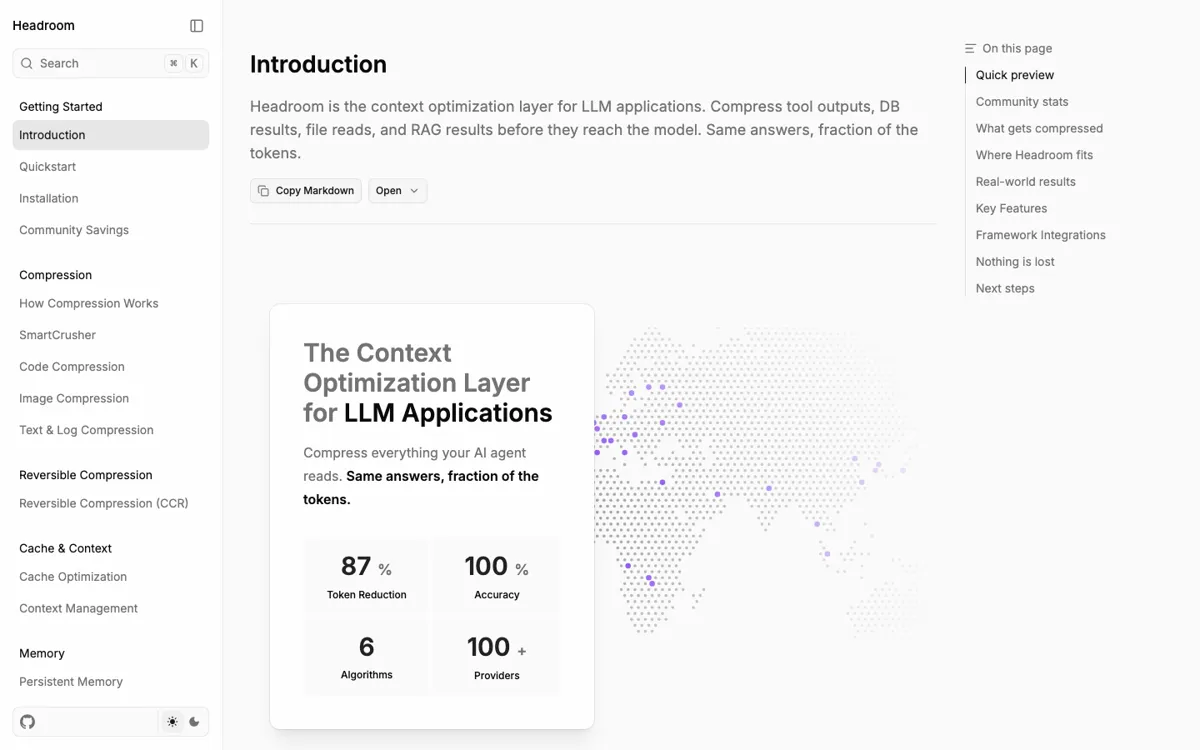
Headroom Review

7.6/10

Compress LLM agent context before tool output, logs, RAG chunks, and files reach the model.

Review updated June 2026 By The AI Way Editorial 5 min read
AI Agents CLI Tool Open Source RAG

Our Verdict

Headroom is worth a close look if your coding agent or RAG app keeps burning context on long outputs that the model only partly needs. Its best value is reversible compression: you cut the prompt down, but the original can still be pulled back through CCR. The main cost is setup complexity and platform risk, especially if you expect a polished SaaS with public pricing.

Official site
Public pricing is not confirmed. Verify it on the official site.
open_in_new Visit Headroom
Official Website Snapshot Visit Site ↗

check_circle Pros

  • Targets the exact context waste that shows up in agent runs: command output, logs, RAG chunks, database rows, and repeated file reads.
  • Gives several adoption paths, from inline library calls to a proxy and MCP tools for coding agents.
  • The reversible CCR design is safer than deleting detail outright because the agent can ask for the original later.

cancel Cons

  • Pricing and hosted SaaS packaging are not public enough for a buyer to compare plan limits yet.
  • It is a developer infrastructure tool, not something a non-technical user can evaluate from a signup page.
  • Open GitHub issues include install and connection failures, including an Intel Mac install problem tied to native dependencies.

Should you use it?

teams running coding agents or RAG apps where long tool output keeps eating context

Skip it if: Skip it if your agent already works inside one provider's native compaction, or if you cannot run a local proxy, Docker container, Python package, or MCP server in the environment where the model calls happen.

Is it worth the price?

Pricing not confirmed

Treat Headroom as an open-source developer package for now, not a priced SaaS plan. The real cost is the engineering time to install, proxy, monitor, and debug it; paid-plan pressure is not the current decision point because public plan limits are not exposed.

One thing to know before you start

Start with proxy mode or MCP tools against one noisy agent task, then compare tokens before and after on the same command output. Do not wire it into every model call until retrieval behavior and platform install issues are boring.

What people actually use it for

Shrink noisy coding-agent output

Put Headroom in front of Claude Code, Codex, Cursor, Aider, or Copilot CLI when shell output, file reads, and repo searches are flooding the context window. The goal is not prettier summaries; it is keeping the signal the model needs while moving full originals into retrievable storage.

Compress RAG chunks before model calls

Use the library or proxy path when a RAG app retrieves too many long chunks and only parts of those chunks matter for the answer. Headroom can cut retrieval payloads before they hit the provider while preserving a retrieval path for the original material.

Add MCP compression to agent hosts

Install the MCP server when an MCP-compatible tool should decide when to compress, retrieve, or inspect session stats. This fits Claude Code, Cursor, Codex, and remote Docker setups where compression needs to be an agent tool, not a full HTTP proxy.

What does Headroom actually do?

Headroom lives in the messy part of an agent stack: tool output, logs, RAG retrievals, API responses, and repeated file reads that keep bloating prompts. The appeal is not just token savings. It is having several ways to wire compression in, from a Python call to a proxy or MCP tool.

The risk is plain too. This is real developer infrastructure, not a browser toy. Setup can mean Python extras, npm, Docker images, proxy variables, provider keys, and MCP configuration. GitHub issues already show install and connection edge cases, so it is smarter to test one painful workflow first than to put it in front of every model call.

What you can do with it

Compress tool outputs, logs, files, RAG chunks, and API responses before model calls.
Run it as a Python library, proxy, CLI wrapper, or MCP server.
Route JSON, code, prose, and long context through different compressors.
Store originals in CCR so agents can retrieve full context later.
Wrap Claude Code, Codex, Cursor, Aider, and Copilot CLI from the command line.

Technical details

agent_hosts
The docs call out Claude Code, Cursor, Codex, and other MCP hosts.
reversible_cache
CCR stores originals so compression can be reversed later.
integration_modes
Python package, TypeScript path through proxy, CLI wrapper, MCP server, and Docker.

Top Alternatives to Headroom

If Headroom is close but still misses the job, try one of these instead.

Key Questions

Is Headroom a chatbot?
No. Headroom is a compression layer for LLM apps and agents, so it sits around the model call instead of replacing ChatGPT, Claude, or a coding agent.
What does Headroom compress?
It is aimed at the bulky parts of agent context: tool outputs, logs, files, database results, API responses, RAG chunks, and conversation history.
Does compression delete the original context?
The core design is reversible. Headroom stores originals in CCR so an agent can retrieve full detail later when the compressed version is not enough.
Who should avoid Headroom?
Avoid it if you cannot run local developer infrastructure, need a hosted no-code product, or only need light prompt shortening inside one provider.